Capture what you find
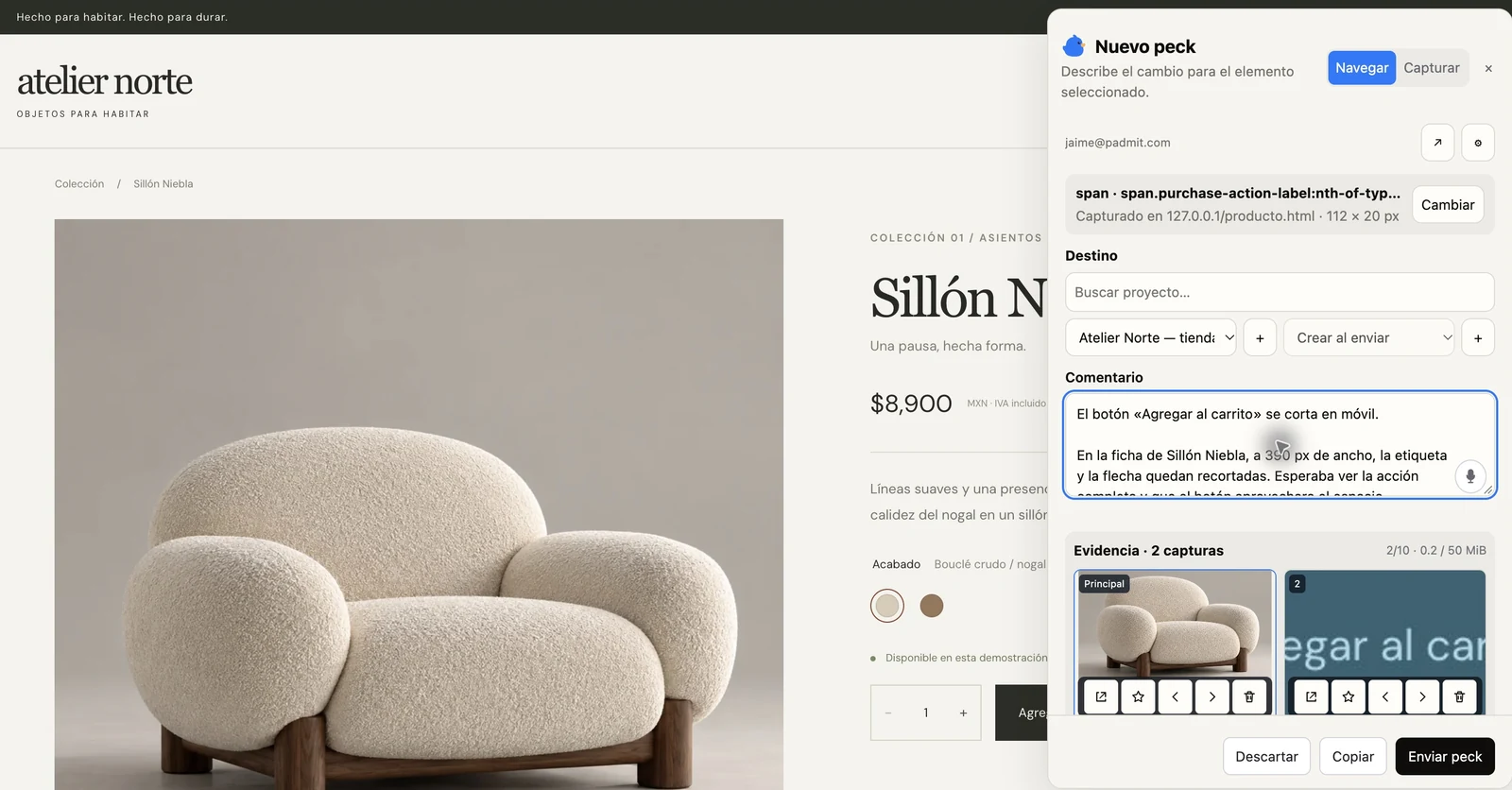
Point to an element with the Chrome extension or add notes and images in the web portal. On Android you can capture findings from your phone too.
 Enlarge screenshot (opens in a new tab)
 Pecky
VISUAL FEEDBACK FOR WEBSITES & APPS
Pecky brings feedback, screenshots and context from your websites and apps together so you, your team and your clients can turn findings into improvements.
Free invited collaborators · MCP available on Free

FROM OBSERVATION TO ACTION
What you found, where it happened and the conversation to resolve it. All connected in a peck.
Explore the workflow ↓We explore Atelier Norte, a demo furniture store, and open the Sillón Niebla product page. At a width of 390 pixels, the “Agregar al carrito” button cuts off its label and arrow.
We point to the element with the Pecky extension and send a peck with a description of the issue and two screenshots. In Pecky, the same finding keeps its evidence, page URL and element reference together.
An agent reads the peck and its evidence through MCP and identifies the issue. This scene uses an editorial record of real queries and results; it does not represent the Codex interface.
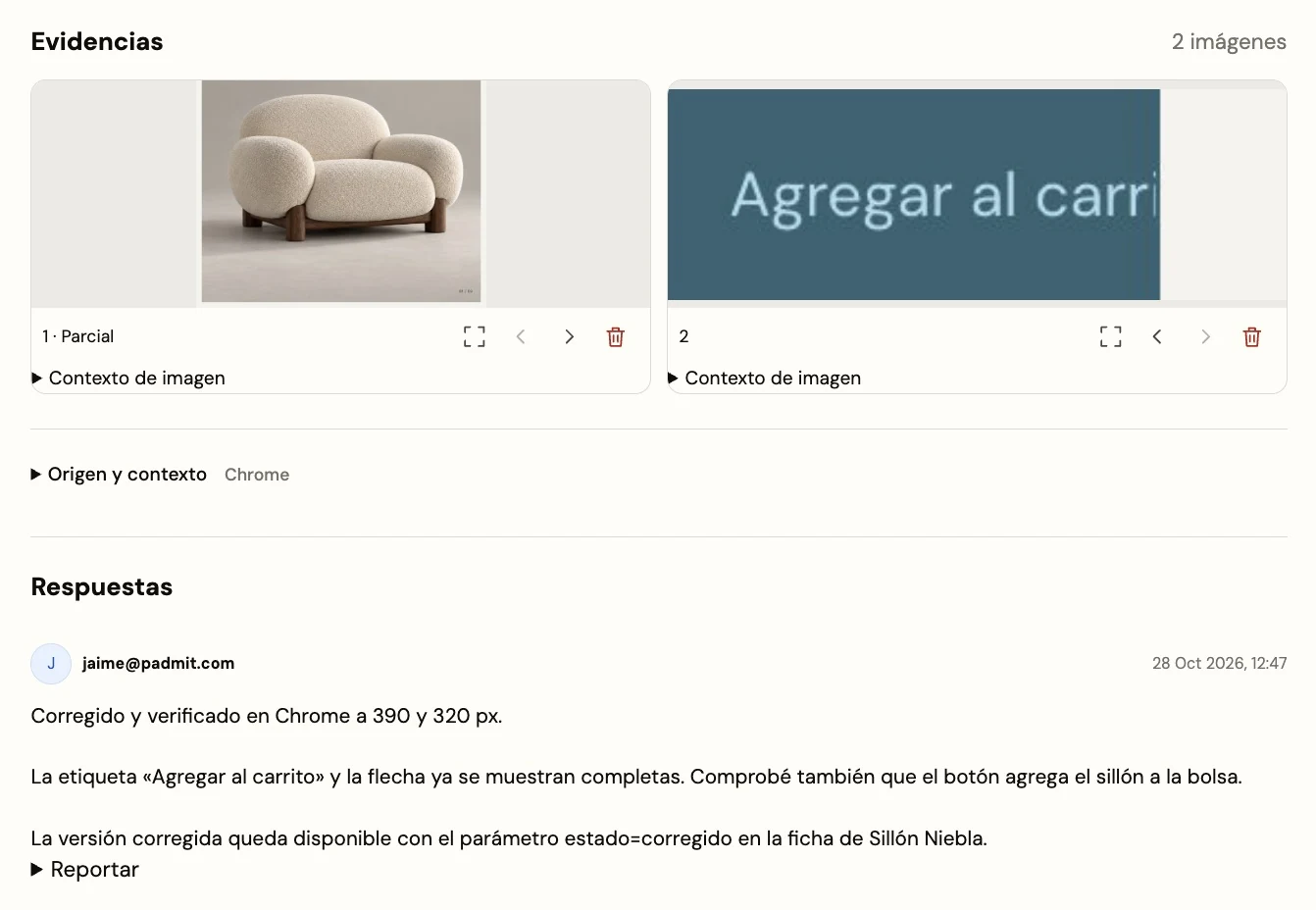
In the corrected version of the demo, we verify that the button shows the complete label and arrow and adds the chair to the bag. We save the verification as a reply to the same peck. The website is corrected outside Pecky.
Capture. Share. Improve. Pecky.
HOW IT WORKS
A peck is an observation that keeps the conversation and evidence needed to act on it together.
Point to an element with the Chrome extension or add notes and images in the web portal. On Android you can capture findings from your phone too.
Enlarge screenshot (opens in a new tab)
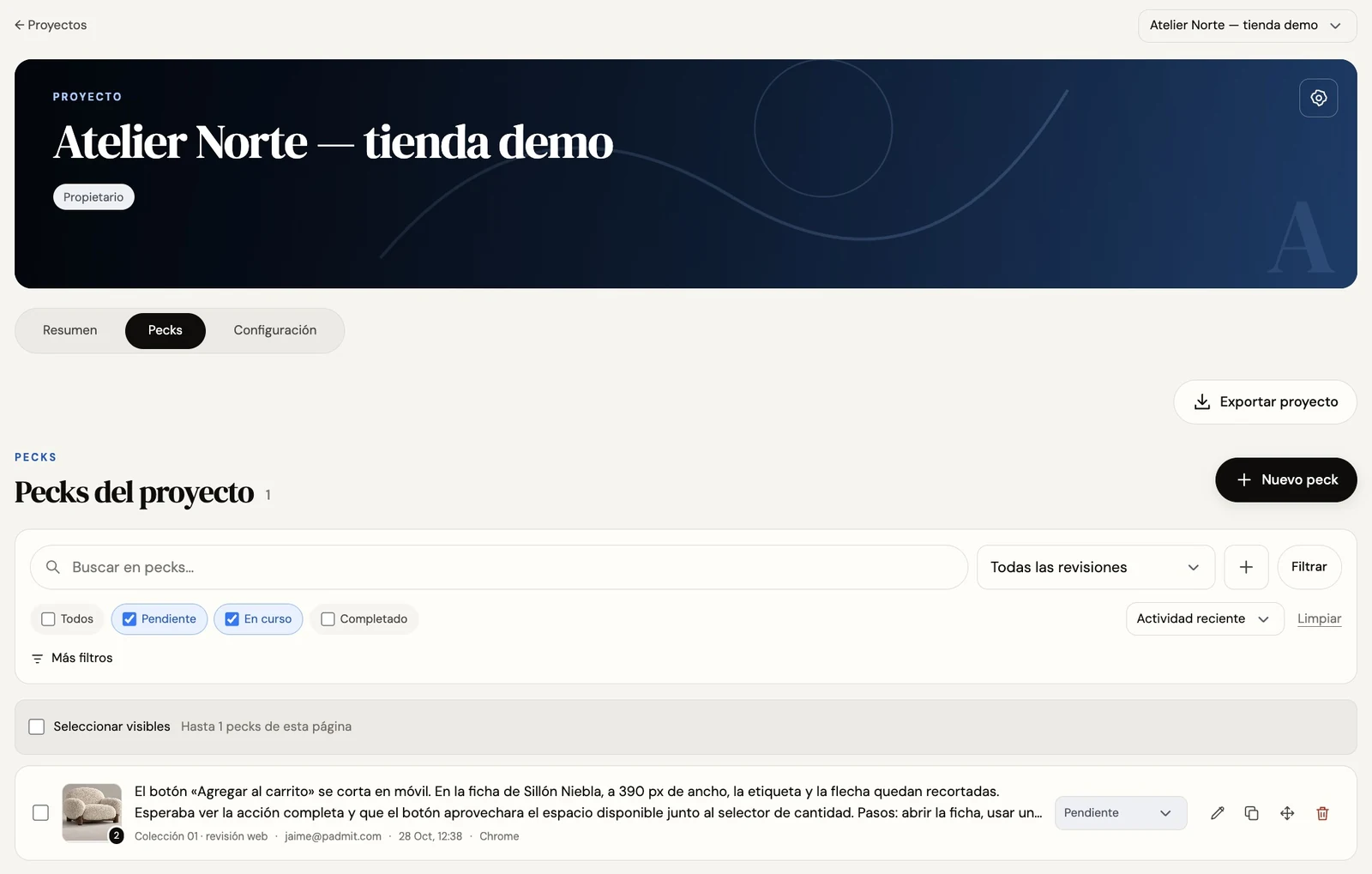
Organize pecks in projects and reviews, with screenshots, comments and available context in one place.
 Enlarge screenshot (opens in a new tab)
Talk with your team, follow each peck’s status and use an authorized MCP connection when you want to bring in your agent.
 Enlarge screenshot (opens in a new tab)
PECKY + AI AGENTS
Connect Pecky to Codex or another compatible agent through MCP. With your authorization, it can read pecks, images and conversations, reply and contribute findings in projects you belong to.
MCP collaboration is also available with a Free account.
Connect Pecky with Codex ↗ · For agents ↗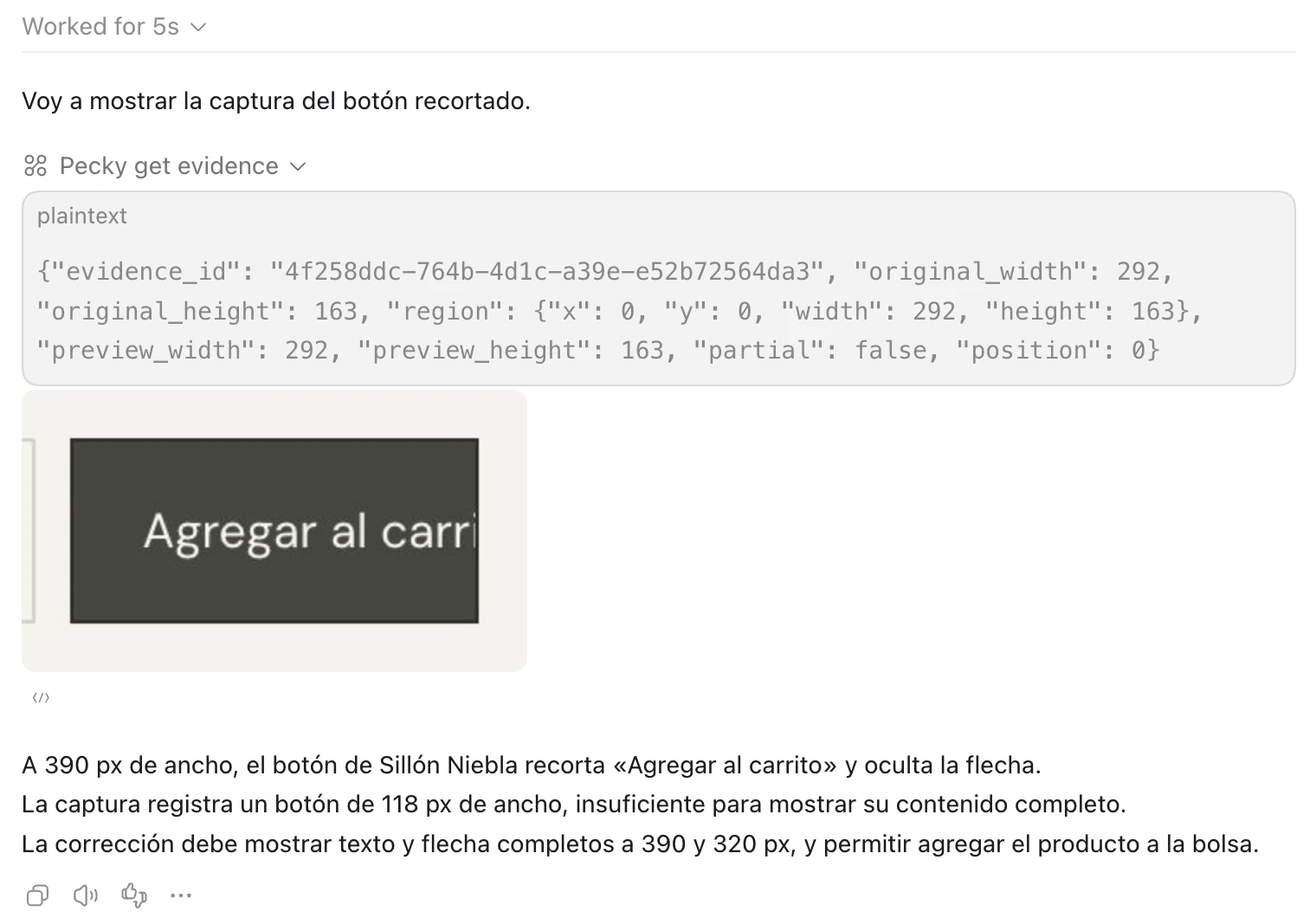 Enlarge screenshot (opens in a new tab)
The agent works with its own tools and permissions. Pecky does not modify code on its own.
WHY PECKY
Show the issue with notes, screenshots and available references so others can understand what you found.
Keep questions, replies and follow-up attached to the original observation.
Invite clients and teammates for free; their authorized agents can collaborate through MCP too.
BUILT FOR THE WAY YOU WORK
Document findings as you test your product and share the context with your coding agent.
Bring client feedback together and keep every conversation connected to its project.
Designers, developers and reviewers share a record of what needs attention.
PLANS FOR YOUR TEAM
Free lets you participate by invitation. Builder and Teams give you room to create projects.
FOR COLLABORATORS
CREATE YOUR PROJECTS
BUILD TOGETHER
Eligible first subscription: 7-day Builder trial · 7-day Teams trial. Card required; see plans for terms and the price afterward.
Invited collaborators are free and do not use creator seats.
Compare plans and pricing ↗GOOD QUESTION
A few answers to make the next steps clearer.
Yes. Use the Chrome extension to capture website elements and page context. With the Android app, capture findings on your phone and send them to the same project. You can also upload images from the web portal. The iOS app is coming soon.
Connect your Pecky account, including Free, through MCP and authorize your agent’s permissions. It can read and contribute feedback in projects you belong to. See how to connect Pecky to Codex ↗
Of course. You can save observations and screenshots, talk with your team, and follow each peck’s progress. Connecting an agent is another way to keep the work moving, whenever it’s useful to you.
No. Your clients and teammates can create an account and collaborate for free in the projects you invite them to. Pro is for people who create their own projects.
You can use the web portal to write observations and attach images. The Chrome extension adds element capture and page context as you browse.
Your agent can read authorized projects, conversations and images; send pecks with context and screenshots; reply; and edit or delete your own contributions. MCP collaboration is available on Free. Status changes retain their role and coverage requirements. See the journey for agents ↗
No. Pecky brings findings and their context together. If you ask your agent to work on the code, it does so in your development environment, with its own tools and permissions, following your instructions.

READY TO REVIEW
Bring together feedback your team, clients and agents can understand and use.
Launch offer: 7 days of Pro Builder free. Card required. Pay nothing today. Then US$15/month, taxes included. Available once per account on your first Pro subscription. Cancel before the trial ends to avoid being charged.
Try Pro free for 7 daysExplore capabilities and prepare a subscription through MCP. You review the terms and confirm payment in Stripe.
Agent guide · AGENTS.md